01
Check it off on the glass
Assign chores by kid and due day. They tap the wall to mark it done—no hunting through a phone.

FamilyFlow · coming soon
Hang the week on the wall.
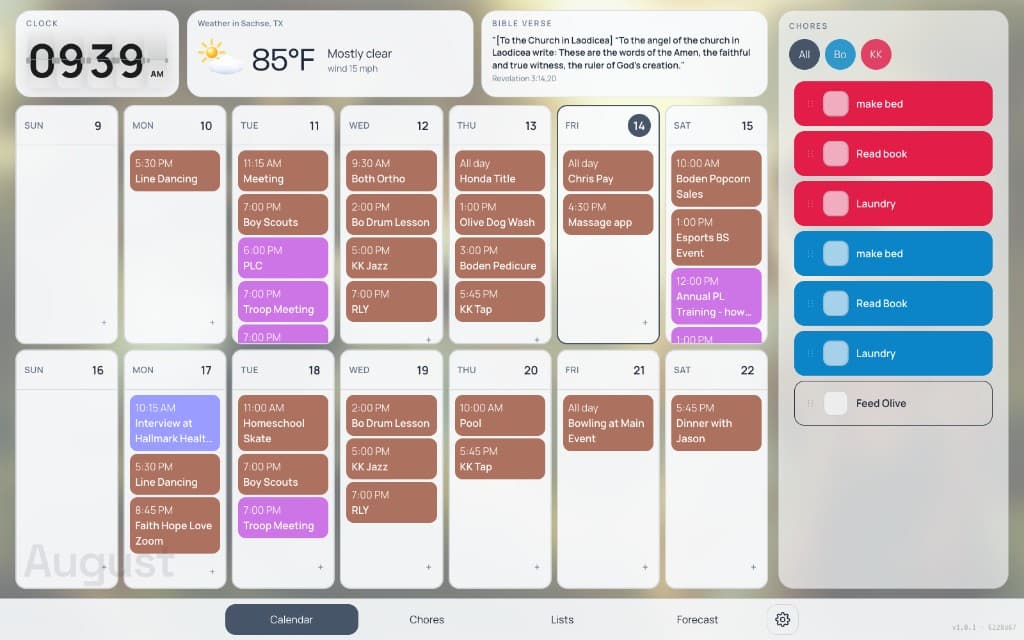
Assign by kid. Check it off. Celebrate when the list is clear. The week hangs right beside it.
FamilyFlow helps families organize kids’ chores and reward them when the work is done—on a shared wall everyone can see.
WALL
Visible without asking
Assign by person, check off on the wall, and celebrate when the list is clear. Rewards live where the kids already look—not in another app they forget to open.
Phone reminderRemember → open the app → hope they check it.
FamilyFlowWalk into the kitchen → see whose turn it is → check it off.
On the wall
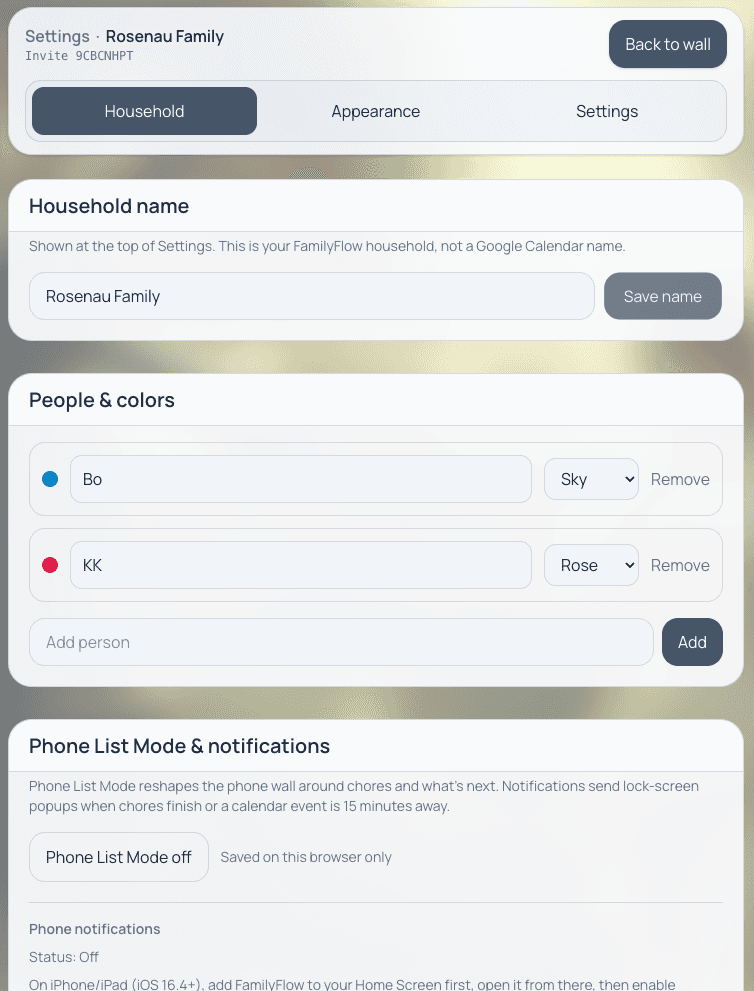
A color for each kid
Assign chores by person so everyone can see whose work it is from across the room.
01
Assign chores by kid and due day. They tap the wall to mark it done—no hunting through a phone.
02
Confetti, a party hat, a glow—and a parent-written prize they can actually see, on the same wall.
03
Chores and calendars share a person color, so the kitchen can tell whose work and whose practice from across the room.
04
Google Calendar synced live. Pick which calendars appear. Day, week, two-week, month, or agenda—large enough to read standing up.
05
Shared lists, household weather, a flip clock, and an optional feed—on the same glass as the chores.
06
Kiosk mode, big touch targets, and a sleep schedule. On a phone it becomes a stacked list, with optional pings when chores finish.
Already on Google Calendar
FamilyFlow connects to the calendars your family already uses. Give everyone a color, choose which calendars appear, and see the week next to the chores—not in a separate app.
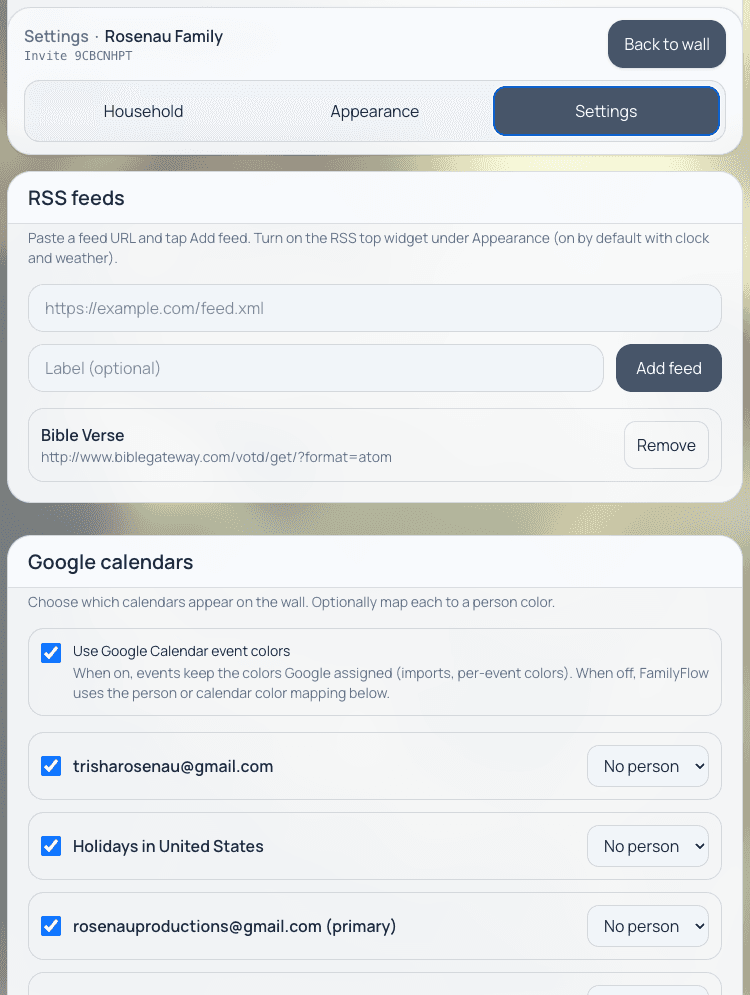
Choose which calendars appear
You are not starting a new calendar. You are putting the ones you already keep onto the glass.
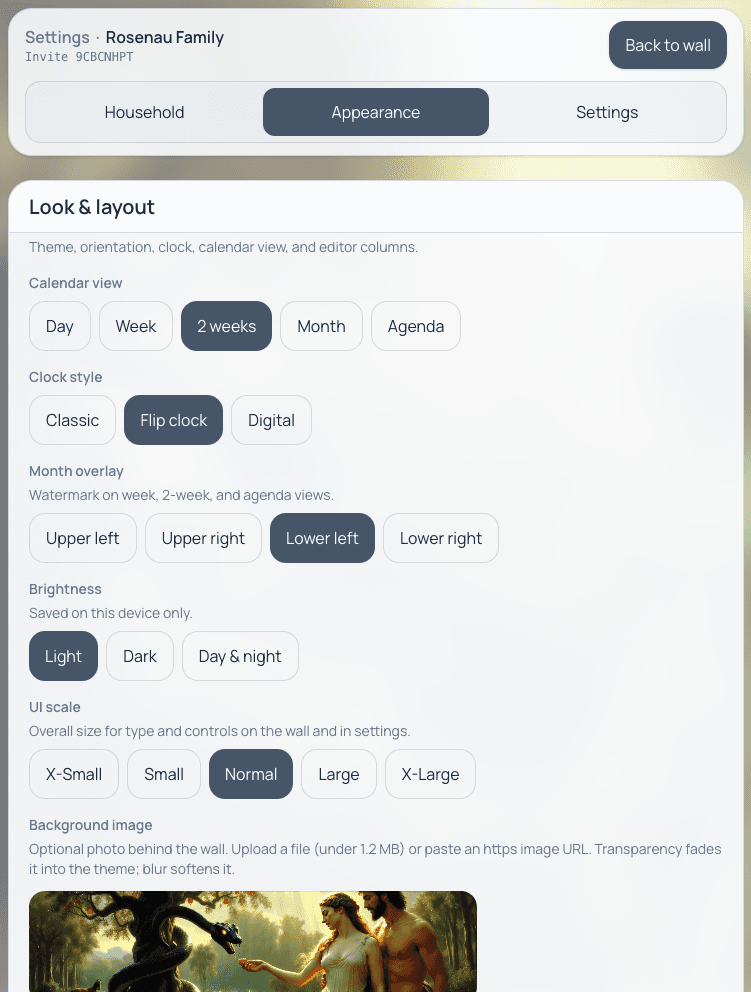
Made for the wall
Two-week view, flip clock, and light mode—set once for a kitchen display, not another iPad home screen.
FamilyFlow waitlist or product questions—we read every note.